
Welcome to WordPress. This is your first post. Edit or delete it, then start writing!

This is a fairly simple task. This test is given to clients to complete before the focus day meeting. Once the tests are completed, the results are received through Hugo’s inbox. We then click on the link in the report of each client report, print to save and then file the reports in the appropriate folder in Google Drive. If some reports are missing, we will need to follow up with the person by email and remind the, to complete the organizational checkup. Here is how to do the task in details:
-
1. Test Results Received by Email
- 2. Click on The Link of The Report
- 4. Rename File
- 5. Create New Client File
- 6. File in Org Checkup Folder
- 7. Delete Client Files Saved on Your Computer
Test Results Received by Email
1. Click on organizational up email
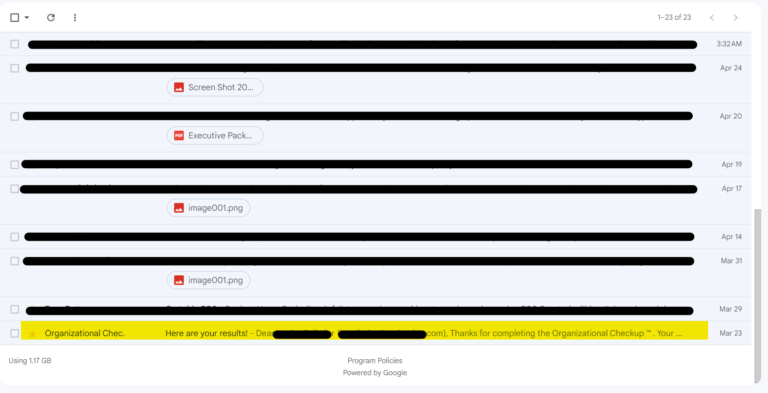
2. Click on ” See your results here.
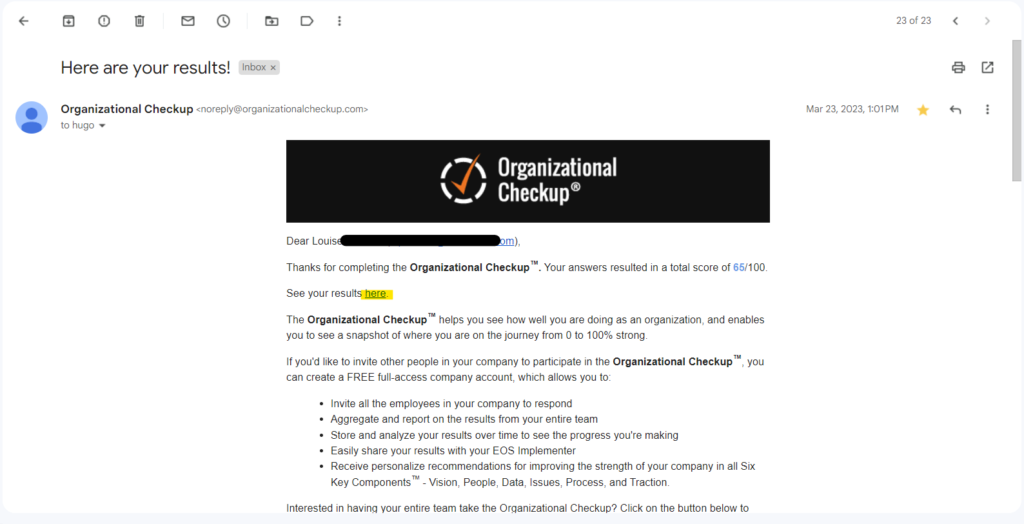
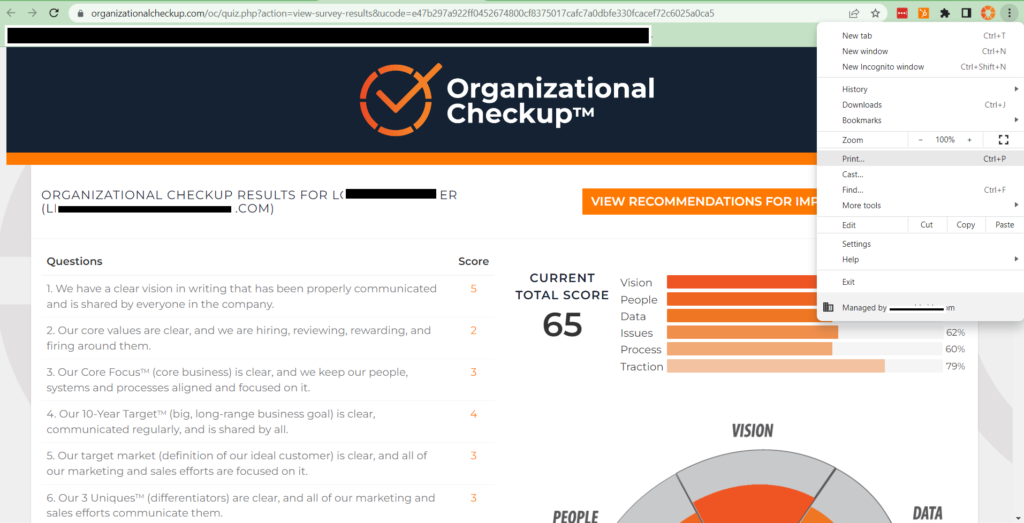
Print and Save to PDF
1.Select Print from the options menu
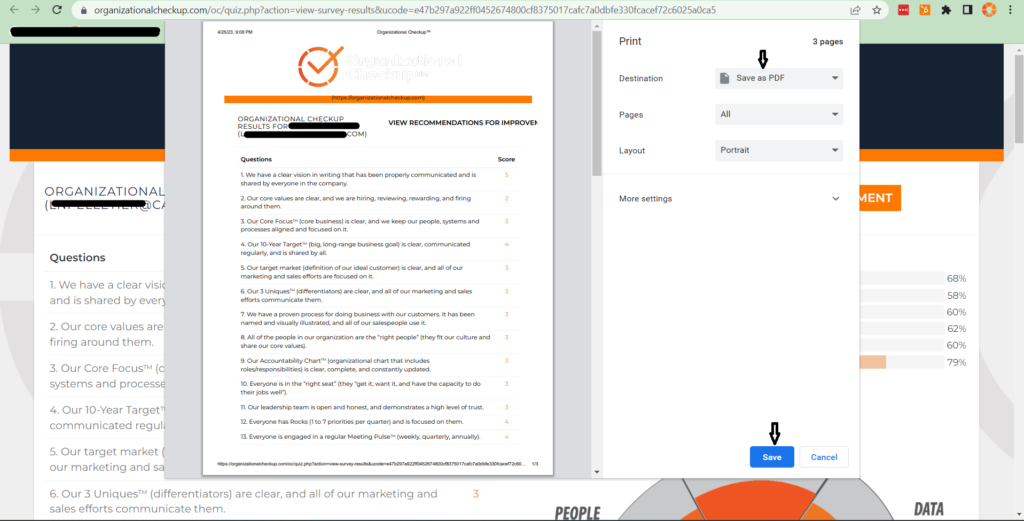
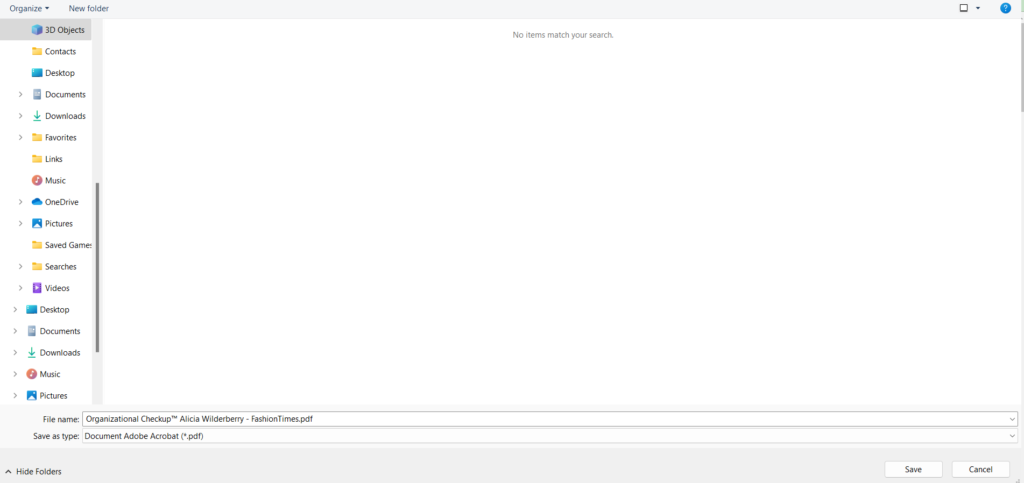
2. Select “Save as PDF” and click “Save”
3. Rename document ” Organizational Checkup™ Client Name – Company.pdf “
Create New Client Folders
1. Go to the Google Drive
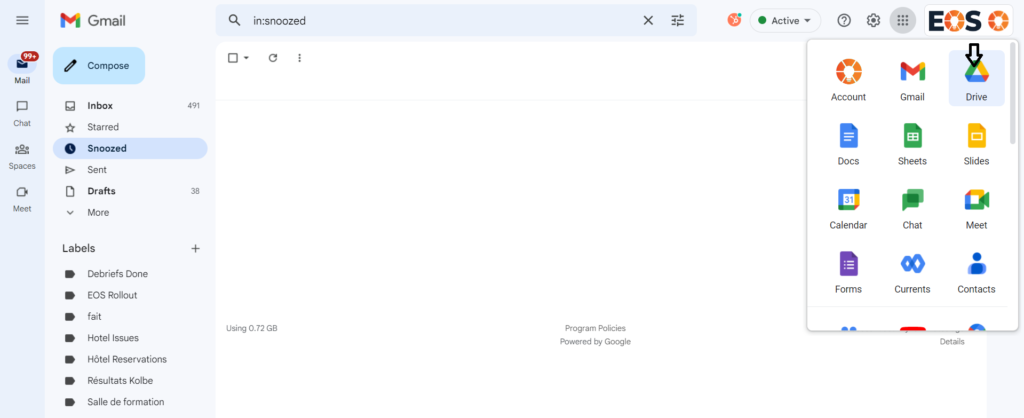
2. Click on ” shared with me ” and then ” Zenyth – Clients “
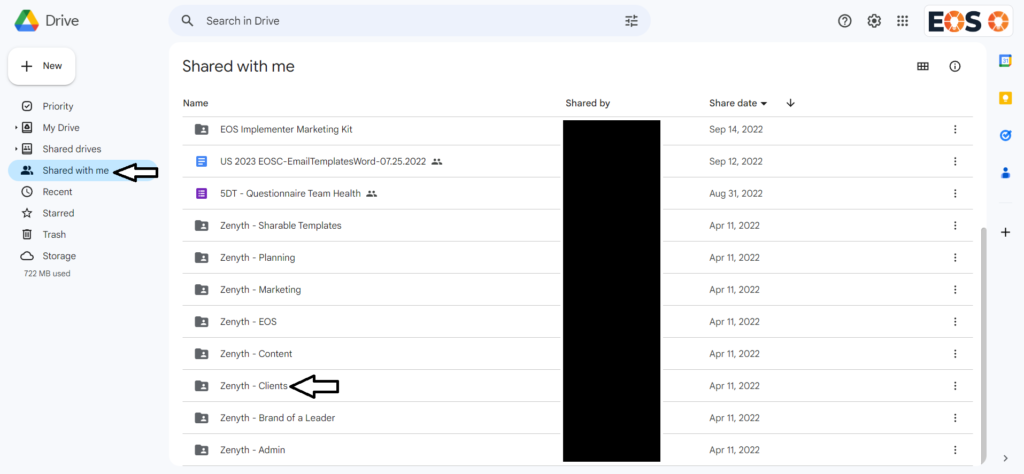
3. Click on “New”
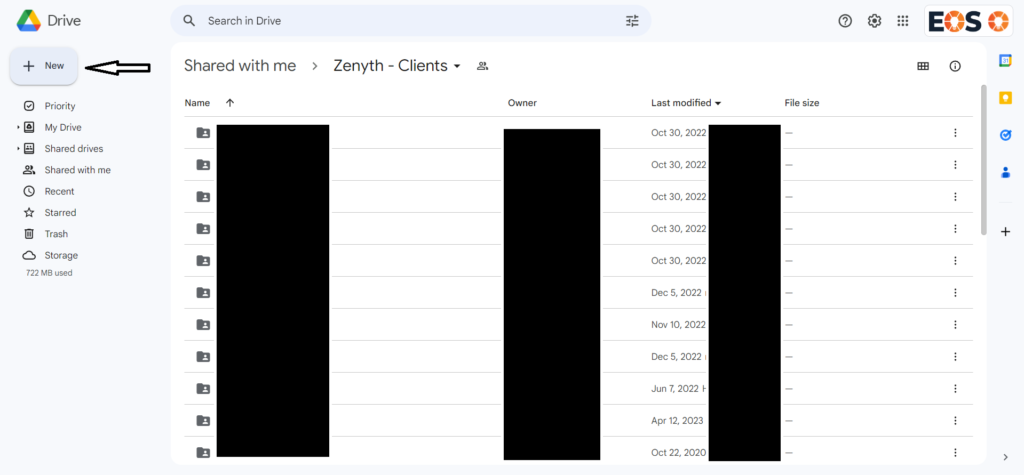
4. Click on ” New Folder “
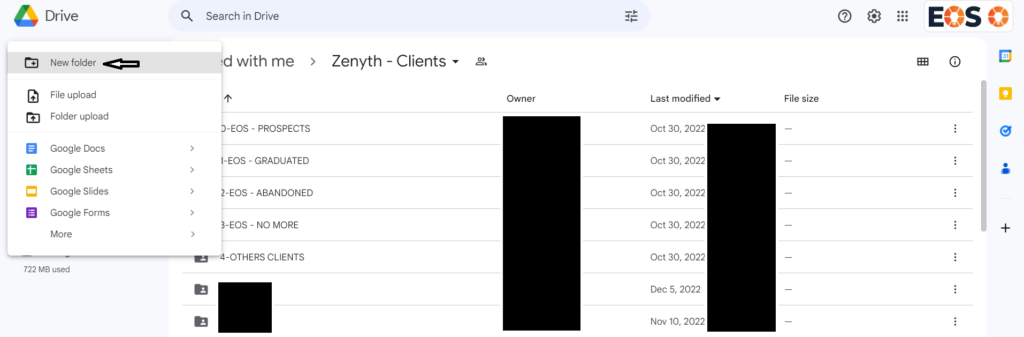
5. Enter new folder name with company name and the click “Create”
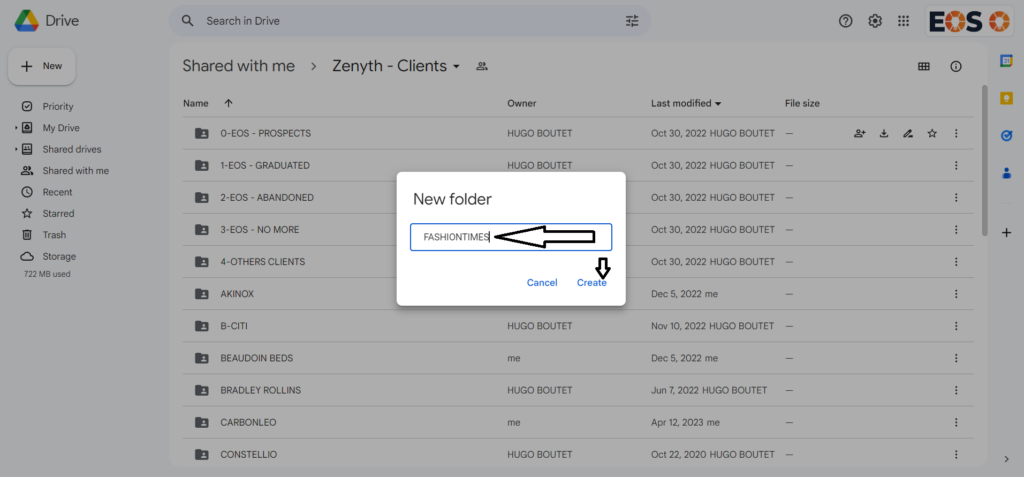
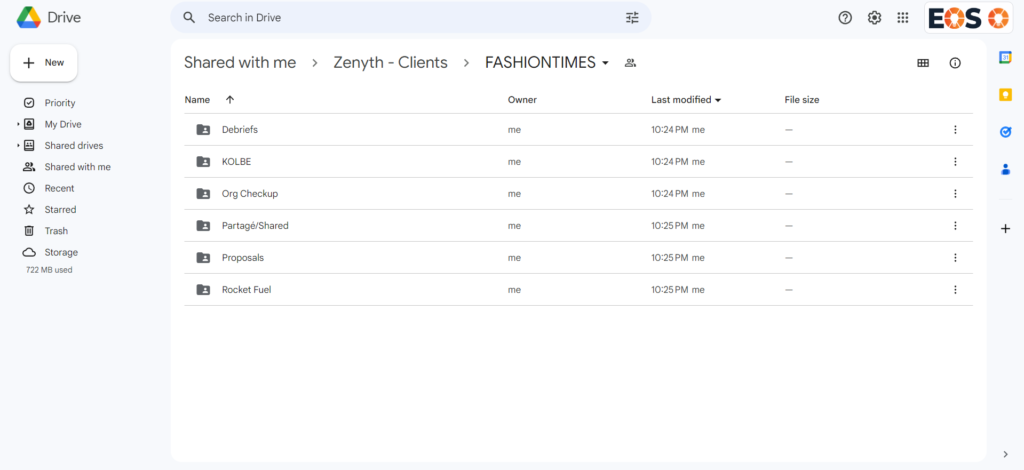
6. Create the following six subfolders for the new client’s folders following steps 3 to 5.
- Debriefs
- KOLBE
- Org Checkup
- Partagé/Shared
- Proposals
- Rocket Fuel
File organizational checkup
File client’s organizational checkup in the Org Checkup Folder
1. Double click on the folder ” Org Checkup ” to open
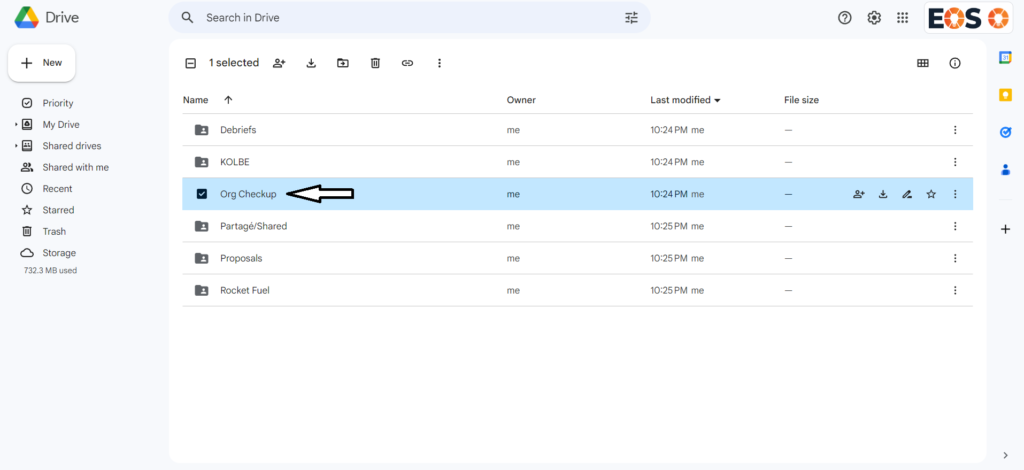
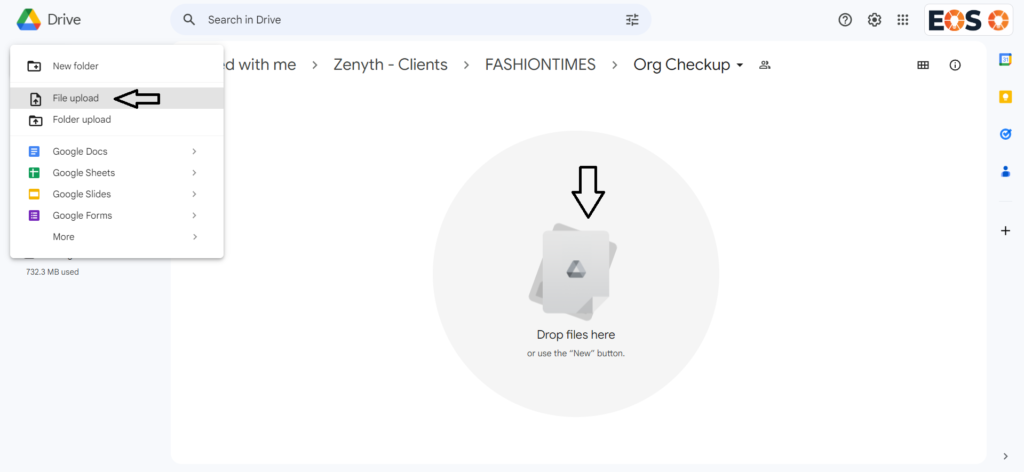
2. Click on ” New ” and then ” File Upload” or drag and drop file in the folder.
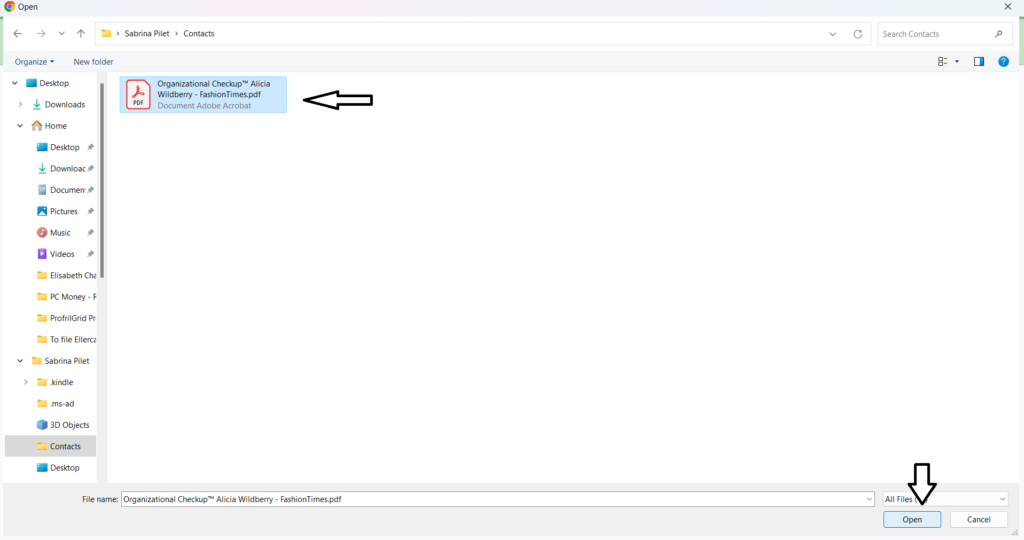
3. Select File and Click ” Open “
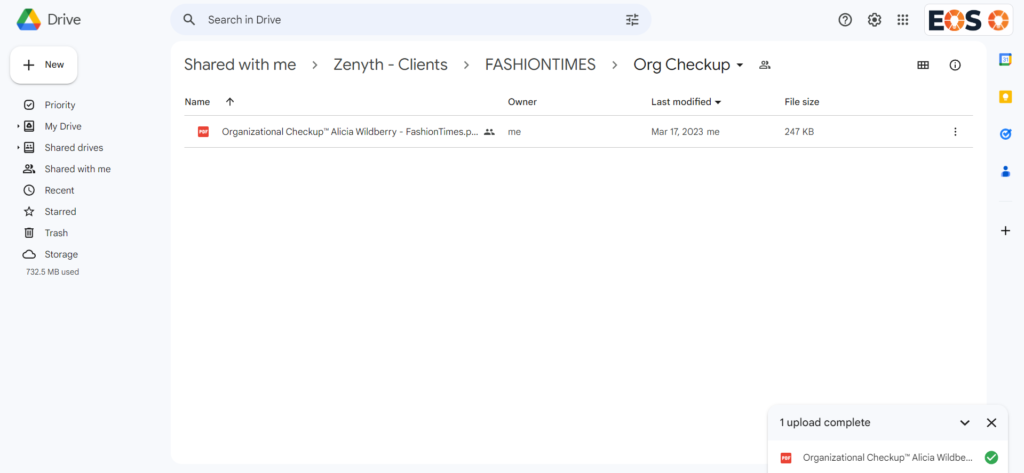
4. The file is in the folder.
Conclusion
That’s pretty much it for this task. As a reminder, when a client starts his coaching journey each participant in the group will complete this assessment. We need to perform these steps for each participant, create one company folder and 6 subfolders and then upload each org checkup of each participant into the org checkup folder.